OPPO Bubble Launch: Stylish Magnetic Camera Accessory with AMOLED Display
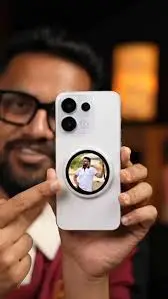
OPPO just launched something genuinely unusual – a tiny circular screen that snaps onto the back of your phone and turns the rear camera into a proper selfie viewfinder. It is called the OPPO Bubble, and it launched globally alongside the Reno 16 series in June 2026.
At first glance it looks like a gadget created just to turn heads. But spend five minutes understanding what it actually does, and you quickly realise OPPO thought about this more carefully than you might expect.
What Is the OPPO Bubble?
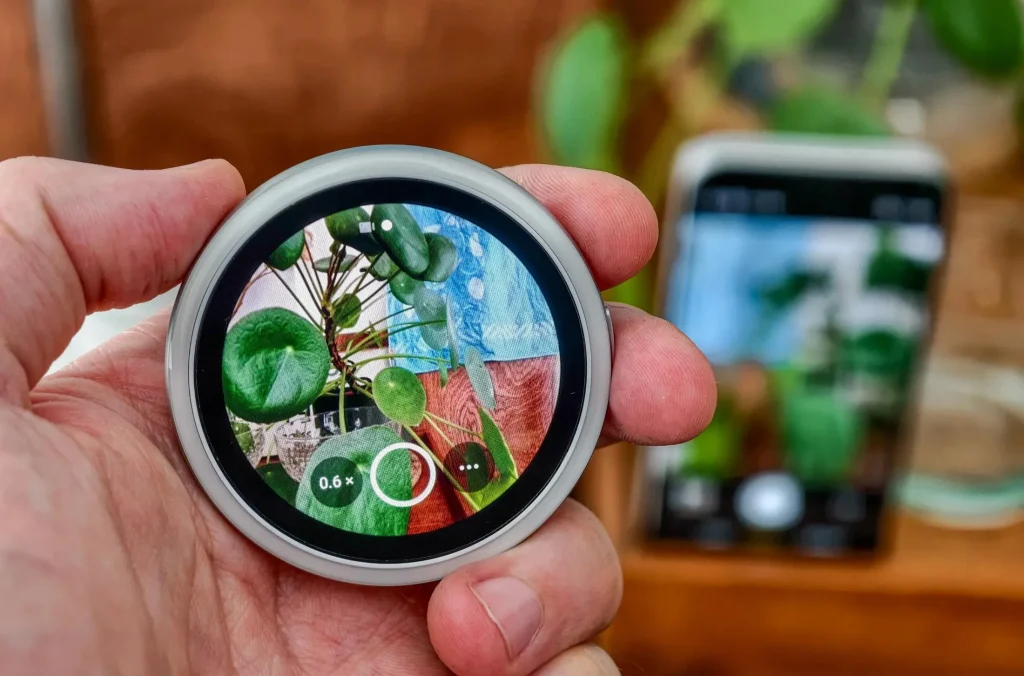
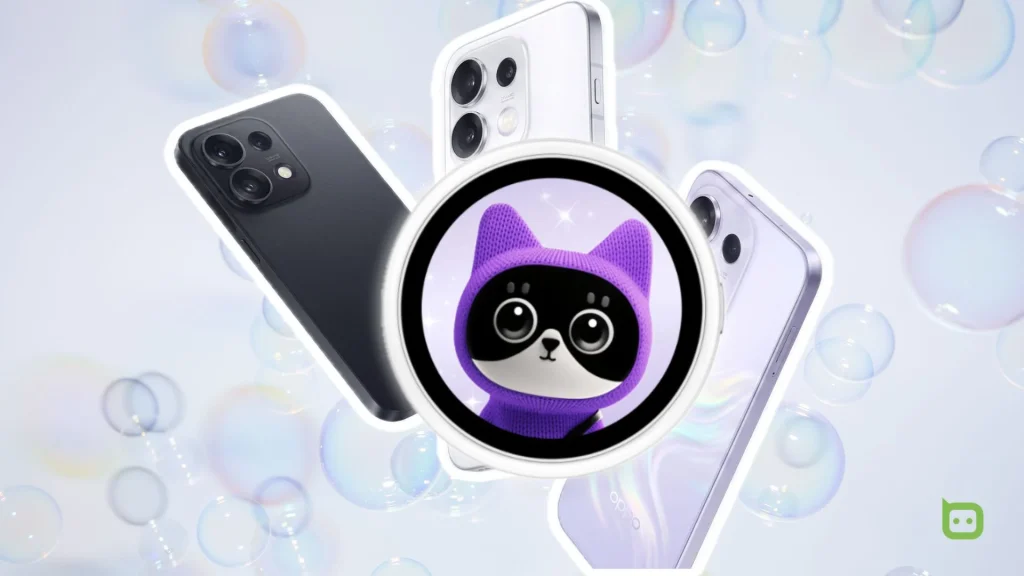
The OPPO Bubble – officially called the OPPO Bubble Mag E-Badge – is a small wireless accessory designed to sit on the back of a compatible OPPO phone. It features a 1.73-inch circular OLED touchscreen, a built-in 550mAh battery, and attaches magnetically to a silicone bumper case that comes in the box.
The core idea is simple: your phone’s rear cameras are significantly better than the front selfie camera. The Bubble lets you use those superior rear cameras for selfies and videos while still being able to see yourself on the small circular screen attached to the back.
OPPO designed it as a Gen Z lifestyle accessory – something that sits between a functional camera tool and a fashion statement. And honestly, that positioning makes a lot of sense when you see the product in person.
How It Actually Works
This is where the OPPO Bubble gets interesting. Most people expect it to simply mirror the phone’s main screen onto the small circular display. That is not what happens.
The Bubble connects wirelessly to the camera app directly – it does not mirror the phone’s display. This matters for one specific reason: when the phone is locked, the Bubble shows only the camera preview. It does not surface notifications, messages, or anything private on a second visible screen for others to see. That is a thoughtful design decision that most competing accessories skip entirely.
Pairing is quick and straightforward. Once connected to a compatible OPPO phone, the Bubble works in two different modes depending on how you use it.
Mounted mode: Attach it to the back of the phone using the silicone bumper case included in the box. The circular screen shows a live preview of what the rear camera sees, so you can perfectly frame your shot while pointing the rear camera at yourself.
Remote mode: Detach the Bubble, wear it around your neck using the star-shaped lanyard that comes in the box, and use it as a wireless remote shutter. The range goes up to 33 feet (approximately 10 metres), which is genuinely useful for tripod shots, group photos, and video recording where you need to step away from the phone.
The physical controls are minimal and deliberate – a single button that handles both power and shutter functions, a touchscreen with three brightness levels, and a display-lock shortcut. The whole unit weighs just 27.5 grams and is only 7mm thick, which means it sits flat enough not to add noticeable bulk.
The Design Side of Things
OPPO is not hiding the fact that the Bubble is meant to look good, not just work well. The circular form factor, the customisable display faces, and the included star-shaped lanyard all point toward a product that is as much about personal style as it is about camera functionality.
OPPO officially calls it a “Custom Vibe E-Badge” on the product page – and that name actually tells you a lot. The display face on the Bubble can be personalized, so it becomes a small expression of your personality when worn around your neck or clipped to a bag.
It comes in Silver as the confirmed colour option at global launch. The overall build feels like something OPPO spent real time refining – not a rushed accessory bundled alongside a phone launch, but a product developed with a specific audience in mind.
Deals Ki Dunia covered the India launch closely, and one detail that stood out is how OPPO bundles the lanyard in the box as a standard inclusion rather than an optional extra. That suggests OPPO considers the detached, worn use case just as legitimate as the mounted phone use case.
Check Also: iPad A16 vs MacBook Neo: The Budget Apple Battle Creators Can’t Ignore
India Launch – When Did It Arrive?
The OPPO Bubble launched in India alongside the OPPO Reno 16 Series and the Enco Air5 earbuds. OPPO had been teasing the launch date on its official India channels before the reveal, building anticipation with design previews and short teasers.
The India launch brought the Bubble to one of OPPO’s most important markets, and the timing alongside the Reno 16 series makes sense – both the Bubble and the Reno 16 series target a similar buyer: someone who cares about cameras, aesthetics, and standing out.
Who Is the OPPO Bubble Actually For?
This is an honest question worth addressing. The Bubble is clearly not for everyone. Here is who genuinely benefits from it:
Content creators and vloggers who regularly shoot themselves with the rear camera and want a reliable way to see exactly what the camera captures without flipping the phone around. The 33-foot wireless range makes remote shooting significantly more practical for solo creators.
Social media focused users who shoot a lot of reels, short videos, and photos for Instagram or YouTube. The ability to use the superior rear camera for selfies – with a proper viewfinder – is a real upgrade in output quality compared to using the front camera.
Fashion-forward users who want their accessories to reflect their personality. The wearable lanyard use case makes the Bubble double as a style piece, not just a camera tool.
However, there is one structural limitation worth knowing about upfront. The Bubble attaches to the phone through a silicone bumper case – because most OPPO phones do not have built-in magnets the way iPhones with MagSafe do. This means the magnetic hold is only as strong as the case attachment. Pressing the shutter button on the Bubble while it is mounted to the phone can cause it to shift slightly, which means a second hand to stabilize the phone is sometimes useful.
Deals Ki Dunia recommends using the Bubble primarily in remote mode for tripod and distance shots, and in mounted mode specifically when the phone is lying flat on a surface rather than held in hand.
Key Specifications at a Glance
| Spec | Details |
| Display | 1.73-inch circular OLED touchscreen |
| Battery | 550mAh |
| Weight | 27.5 grams |
| Thickness | 7mm |
| Wireless range | Up to 10 metres (33 feet) |
| Connectivity | Wireless (direct camera app integration) |
| Included accessories | Silicone bumper case, star-shaped lanyard |
| Available colour | Silver |
| Launched with | OPPO Reno 16 Series, Enco Air5 |
Is the OPPO Bubble Worth It?
That depends on what you need it for.
If you frequently shoot content alone, the Bubble solves a genuinely annoying problem – not being able to see yourself clearly when using the rear camera. The wireless remote range makes solo shooting on a tripod far more convenient, and the fact that it integrates directly into the native camera app rather than relying on a separate app is a meaningful advantage.
If you just want a stylish wearable accessory that also happens to function as a camera remote, the Bubble delivers that too. The circular OLED screen, the lanyard, and the customisable display faces make it a conversation piece by design.
If you are not someone who regularly films or photographs yourself and does not shoot much solo content, the Bubble probably does not add much to your daily life. The functionality is specific – and that specificity is both its strength and its limitation.
Read Also: OnePlus Nord Buds 4: Price, Features, ANC & Full Review Before You Buy
Frequently Asked Questions
The Bubble is designed for compatible OPPO phones and integrates directly with the native OPPO camera app. It launched globally alongside the OPPO Reno 16 series, which is designed for full compatibility. Check OPPO’s official website for the full list of supported models.
The Bubble connects wirelessly to the phone’s camera app. OPPO does not specify Bluetooth or Wi-Fi as the connection method officially – it is described as a wireless integration that works directly with the native camera app without mirroring the phone’s display.
No. When connected to a locked phone, the Bubble only shows the camera preview. It does not display notifications or any other content from the phone’s main screen, which is an intentional privacy-focused design decision.
The Bubble carries a 550mAh battery. OPPO has not published exact battery life hours officially, but the small 1.73-inch circular display means power consumption should be relatively low for typical shooting sessions.
No. The Bubble works in conjunction with a connected OPPO phone. In remote mode it functions as a wireless viewfinder and shutter remote, but it needs the phone to be within range and connected to operate.
Yes. The Bubble launched in India alongside the OPPO Reno 16 Series. Check OPPO India’s official website or authorised retailers for current availability and pricing.